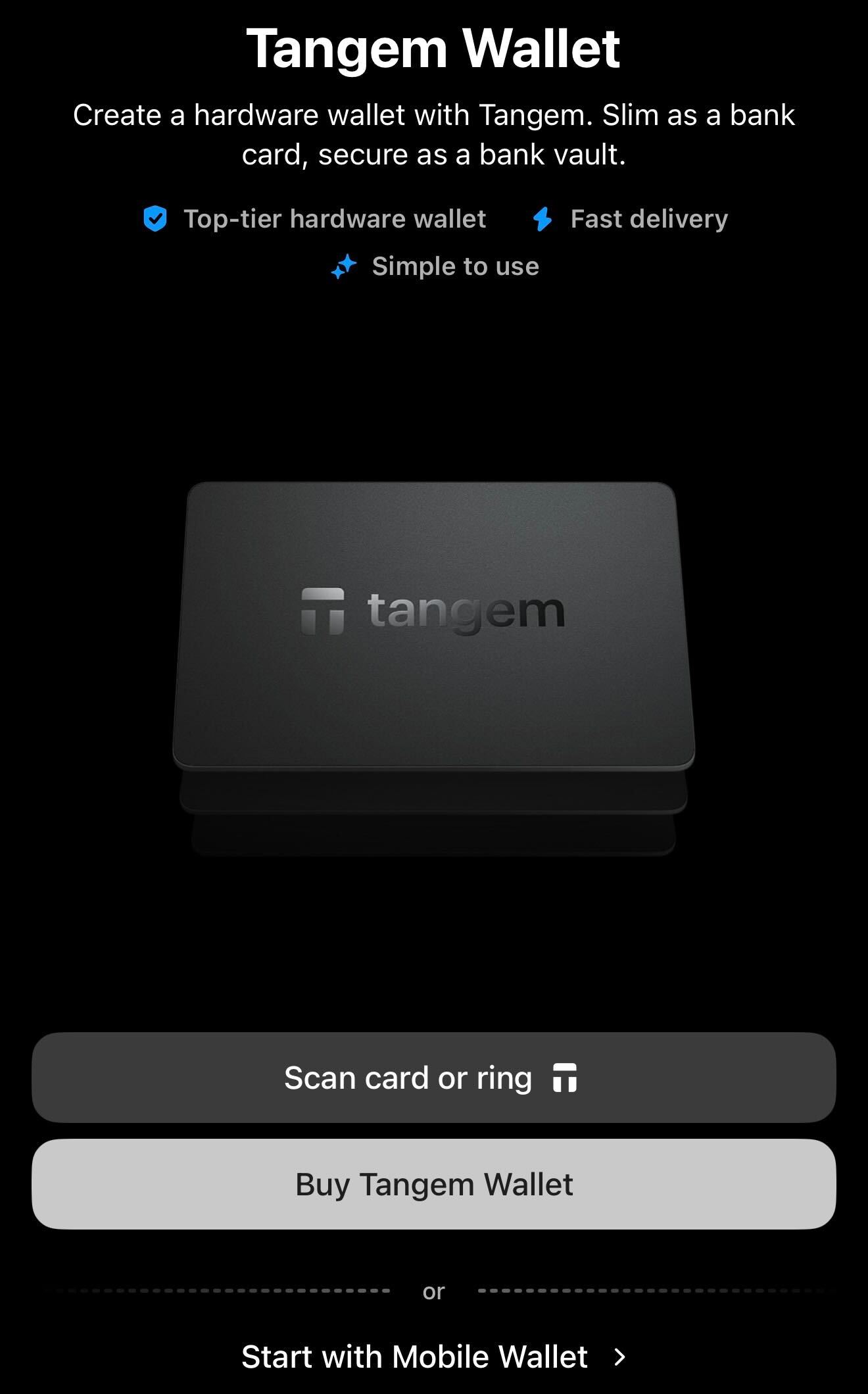
Tap Start with Mobile Wallet.
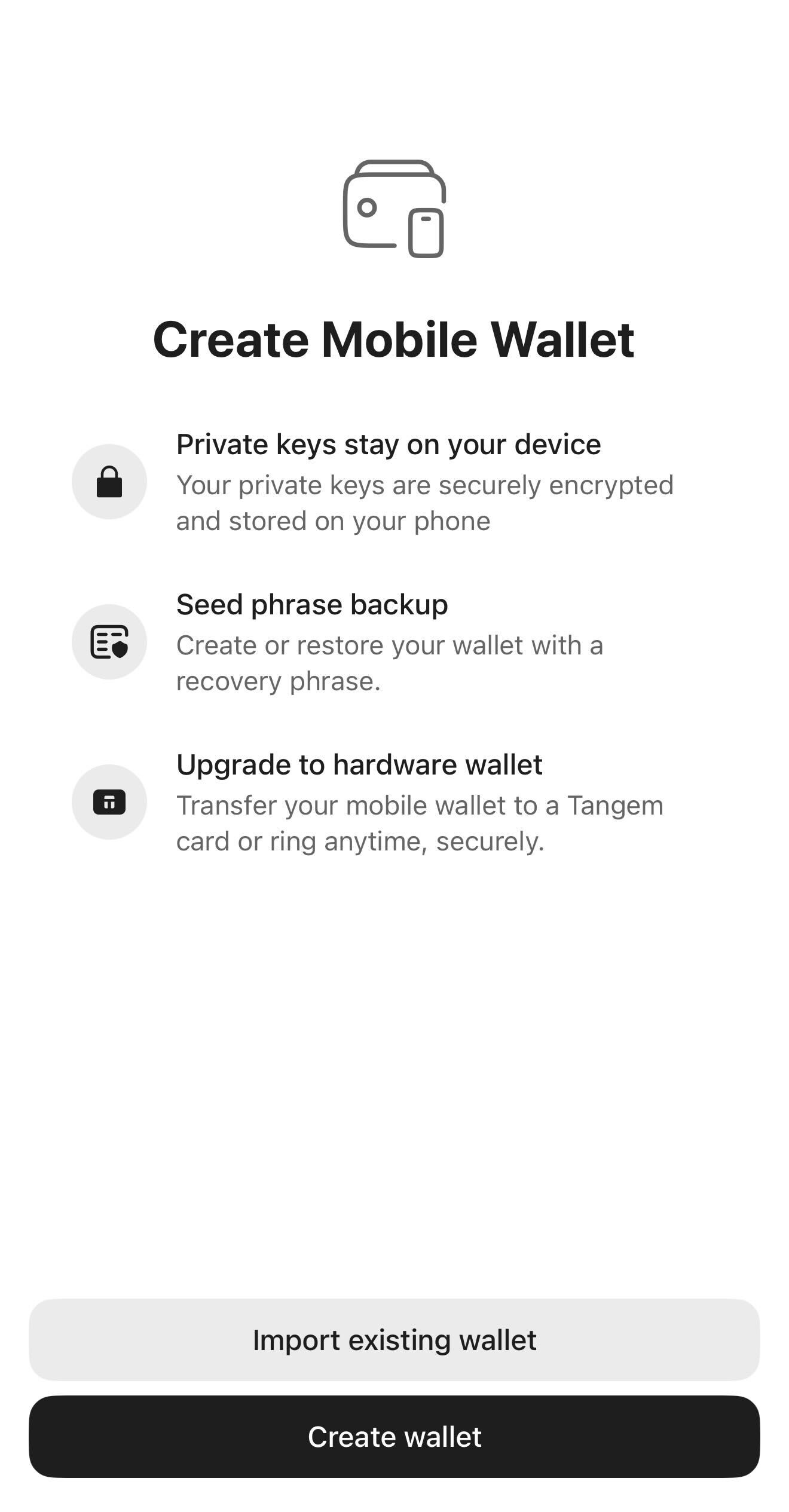
Tap Create wallet.
<aside> ⚠️
IMPORTANT: This is a preview for our partners only. Please do not publish any content about this feature/campaign until you see the announcement on Tangem’s official social media channels.
</aside>
Introducing the Tangem Mobile Wallet | Tangem Blog
Crypto has always been about giving people financial control. Everyone deserves the right to self-custody from day one, but committing to a hardware wallet can feel like a big step. That’s why we're introducing the Tangem Mobile Wallet.
Starting today, you can create a free self-custody wallet in seconds right inside the Tangem app. It’s the perfect way to explore the app, start your journey, and seamlessly upgrade to the ultimate protection of our hardware wallet whenever you are ready. The Tangem Mobile Wallet is available now in the latest app version.
Tangem's Mobile Wallet lets you create a wallet (a quick-start option) or import an existing wallet into the Tangem app using a seed phrase.
With the quick-start option, the app generates a wallet, encrypts its cryptographic keys, and stores them on your smartphone, without requiring an initial backup.
To use the quick-start option, here’s what to do:
Tap Start with Mobile Wallet.
Tap Create wallet.
When you tap Create wallet, the app generates the wallet’s keys, encrypts them using the Secure Enclave or StrongBox, and stores them directly in your phone's secure storage. On iOS devices, this refers to the Keychain, while Android uses the Keystore.
The critical thing to understand is that the wallet is not backed up at this stage yet. Its keys exist only on your smartphone. You can send, receive, swap, stake, and manage tokens, but if you lose your phone, break it, or uninstall the app, those keys could be lost along with any funds they control.
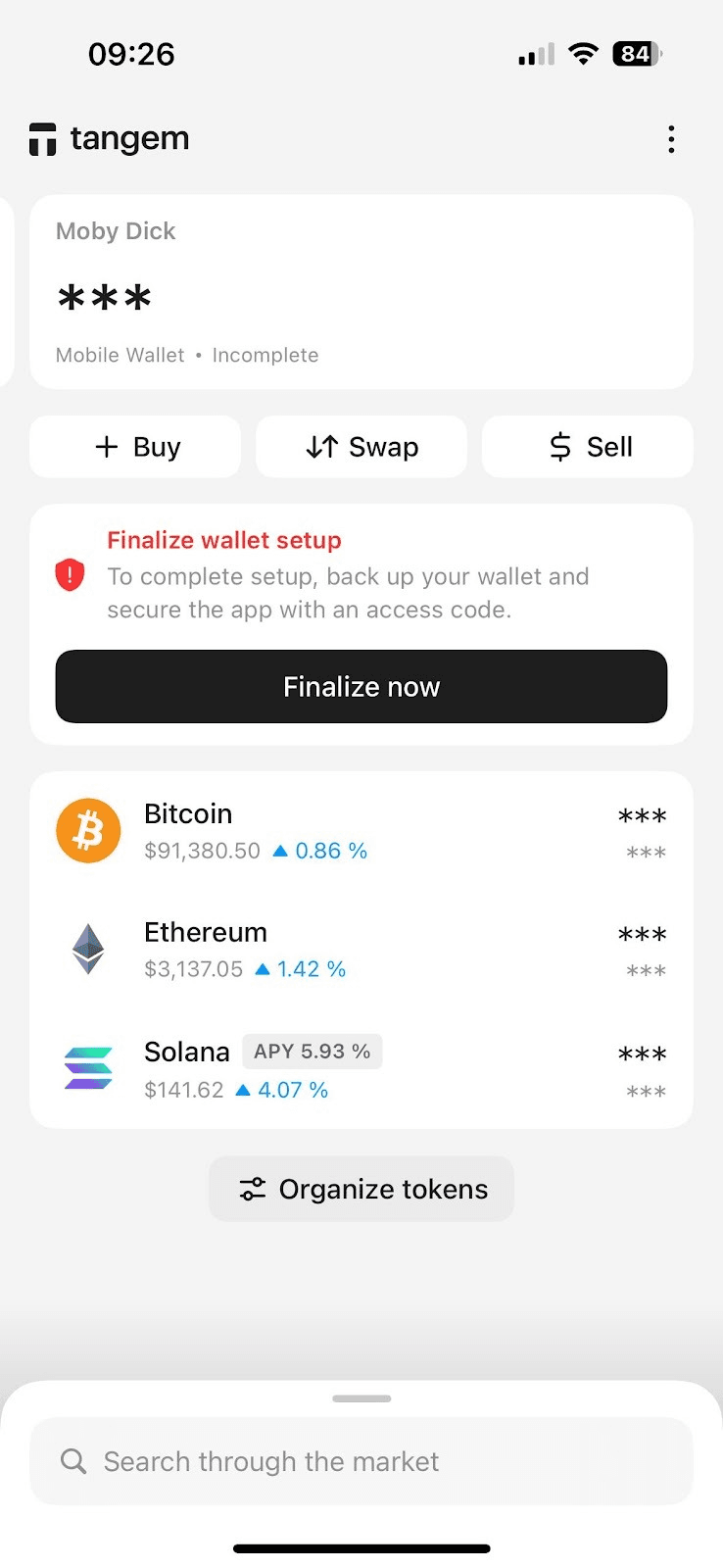
That is why the app always prompts you to finalize wallet setup on the homepage and whenever you open the Tangem app.